Smart Duplicate
What is Smart Duplicate?
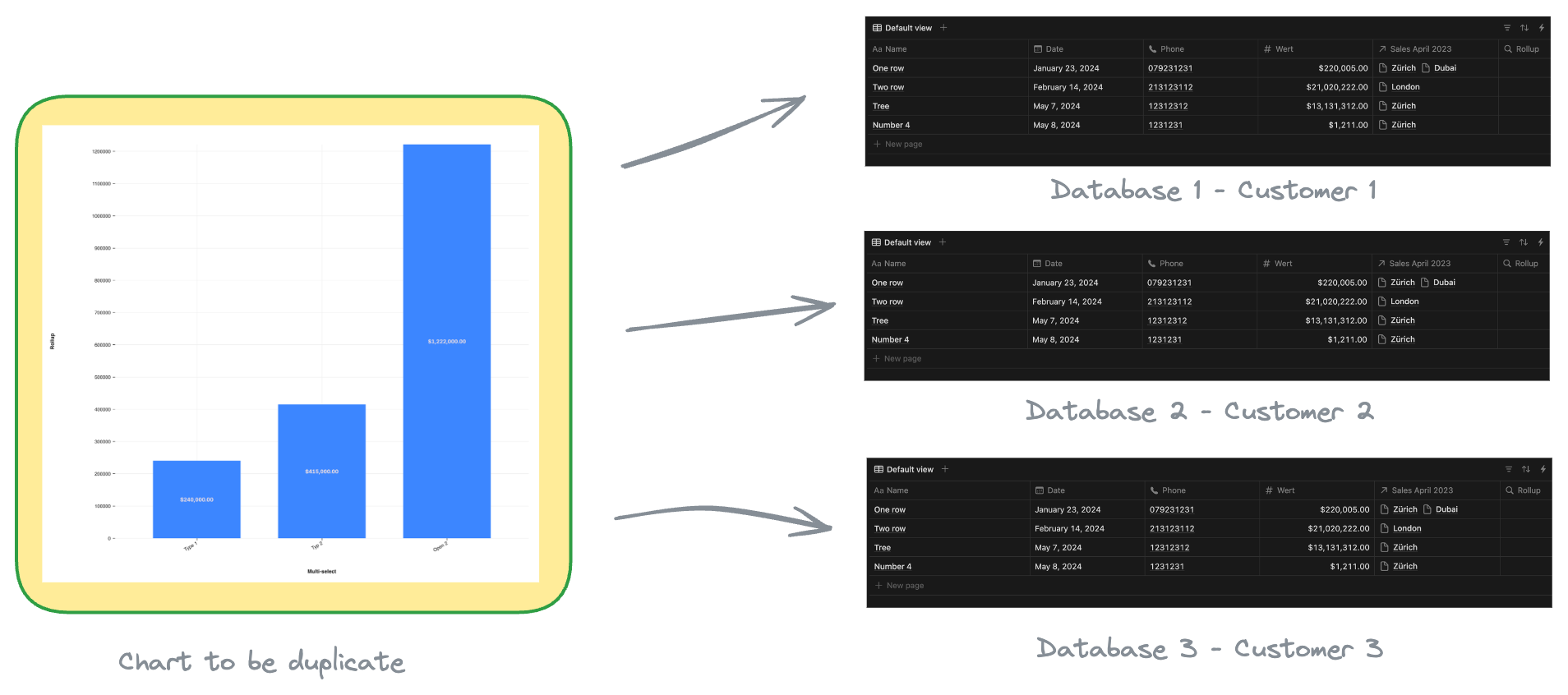
Smart Duplicate is a powerful feature that allows you to instantly duplicate charts and assign new databases in one step — saving valuable time. Instead of manually copying charts and reassigning data, it streamlines the process, enabling changes across multiple databases simultaneously.
What Does Smart Duplicate Do?
With one click, Smart Duplicate performs these actions:
- Duplicates an existing chart
- Assigns a new database to the chart
- Applies changes to multiple databases simultaneously
This process normally takes 4-10 minutes per chart but is reduced to just a few seconds with Smart Duplicate.
Use Cases for Smart Duplicate
HR – Employee KPI Tracking: Create identical KPI charts for all employees by selecting their respective databases.
Trading – Market Analysis: Generate charts for multiple stocks or currencies automatically.
Project Management – KPI Reports: Build KPI charts for all company projects in just a few clicks.
Requirements for Using Smart Duplicate
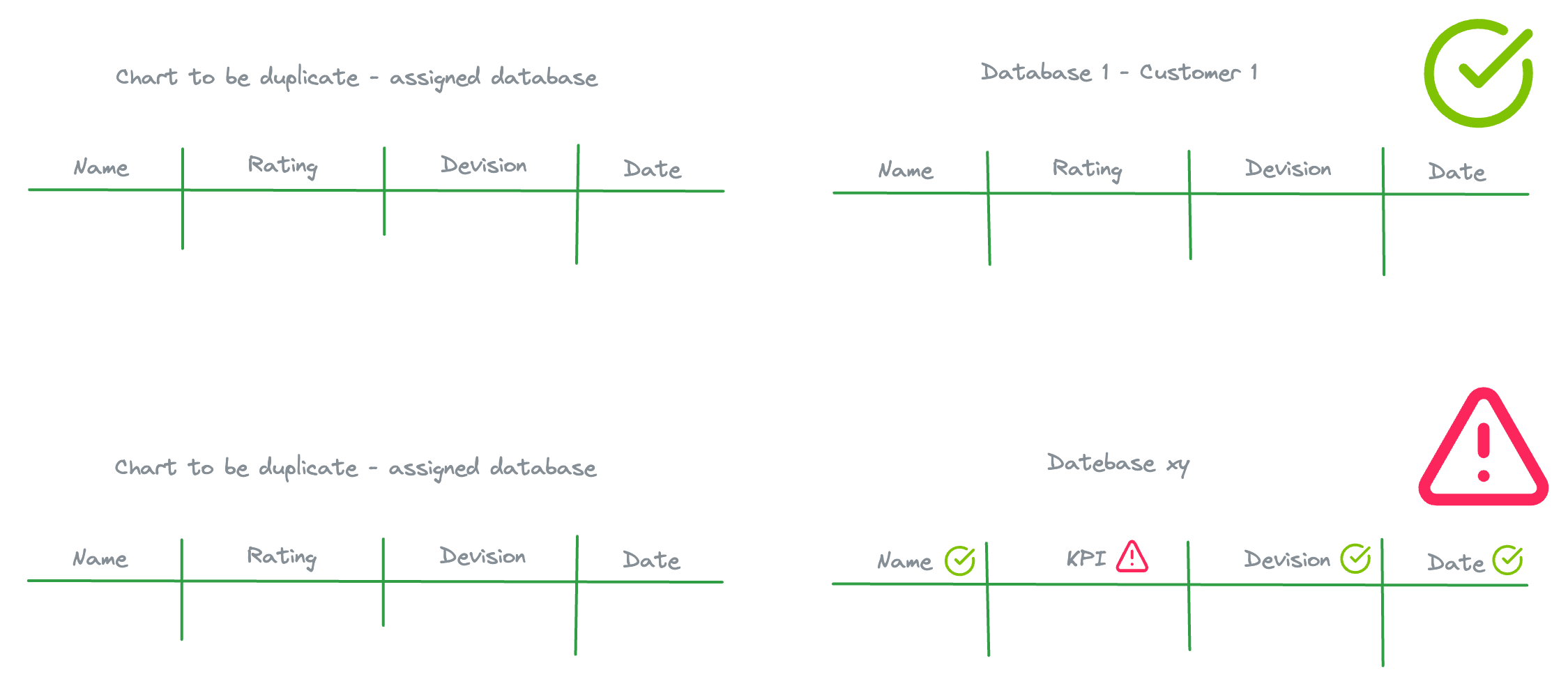
The selected databases must have the same column structure as the original chart's database.
How to Start Using Smart Duplicate
- Go to Dashboard and select Charts tab
- Choose the chart to duplicate
- Click the three dots menu to open options
- Select Smart Duplicate
- Choose databases to assign to the duplicated chart
- System automatically checks compatibility (checkmarks for compatible, warning icons for incompatible)
- Click Next Step once databases are selected
- The duplication process begins