Handling of Relation Columns
This article explains everything you need to know about using relations with identifiers instead of text.
In the latest update to Data Jumbo, relation columns now display Notion IDs by default rather than actual contents. To include resolved relation values in charts, specific steps must be followed to ensure accurate data visualization.
Show Relation Values
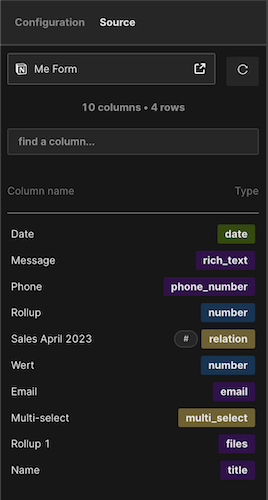
- Go to editor mode
- Go to tab "Source"
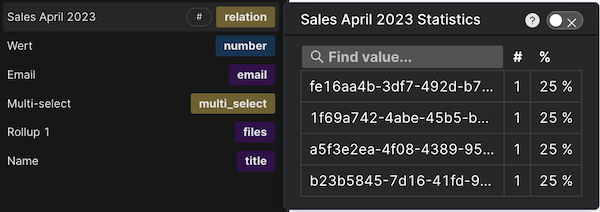
- Hover over relation column
- Toggle ON to fetch actual relation values
- Relation values will fetch (duration depends on database row size)
Relation Column Has Different Icons
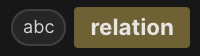
The system uses distinct icons to help users recognize whether a relation column contains Notion IDs or actual values.
Relation column has Notion IDs — one icon displayed
Relation column has actual relation content — different icon displayed
Why Do I Have to Do This?
Notion does not immediately return the resolved relation names via the API. We have to read the data from the relation databases in a second step. This two-step process can improve loading speed by up to 80%, making selective activation of only necessary relation columns important for performance.

Do I Have to Do This for Every Chart?
No — this is a global Data Jumbo setting tied to the specific Notion database. Activating a relation column in one chart activates it across all charts using that database.
Feature Outlook
Future automation is planned. The system will eventually recognize when relation columns are used and automatically load corresponding data, then disable fetching when columns are no longer needed.